
Loading
Uniconta
  • Search
  • Uniconta
    • Functions
      • General ledger
      • Orders & Purchase
      • Inventory & Logistics
      • Project
      • Production
      • Dashboard
      • Business Rules
      • ODATA ikonCustomisation
      • See all →
    • Apps
      • Invoice App Create Invoices
      • Upload App Submit reciepts & expenses
      • Assistant App Project Management
      • Work App Time Tracking
      • Authenticator App Two-Factor Authentication
    • Integrations
      • Add-on Store
    • Download & Login
      • Download Uniconta
      • Web Login
  • Developers
    • Build & Integrate
      • Get API Key
      • Download for Developers
      • Documentation
    • Resources & Code
      • Samples
      • Add-on solutions and users
    • Partner Ecosystem
      • Become an integration partner
      • Partner Portal
  • Insights
    • News
      • Latest News
      • Release Notes
      • Customer Stories
    • Get started
      • Try Uniconta
      • Book a Demo
  • Contact
  • Get Uniconta
  • Contact us
  • Find a reseller
Free trial signup

Unipedia

  • Get started
  • Chart of accounts
  • Customer
  • Vendor
  • Tools
  • Project
  • Purchase
  • General
  • CRM
  • Inventory
  • Company
  • Reports Reports under Project
  • Tools
  • Report generator
  • User-defined fields User-defined fields under Tools
  • User-defined tables User-defined tables under Tools
  • WebPortal
  • Data accesses
  • UC Menu – Addon store

Where is Password stored

825 views 9 July 2020 15 July 2026 < 1 minute
Print Friendly, PDF & Email

Learn more about:

  • Layouts - global
  • Filter/Clear Filter
  • Templates
  • How to search in Uniconta
  • Attaching documents and notes
July 15th, 2026

Uniconta stores the password and login id in the “Windows credentials manager” when you click “remember me”.

This is also where Skype, Office and all other Microsoft programs store their credentials. This means that you can go in here and then remove it so that the password no longer has to be remembered.

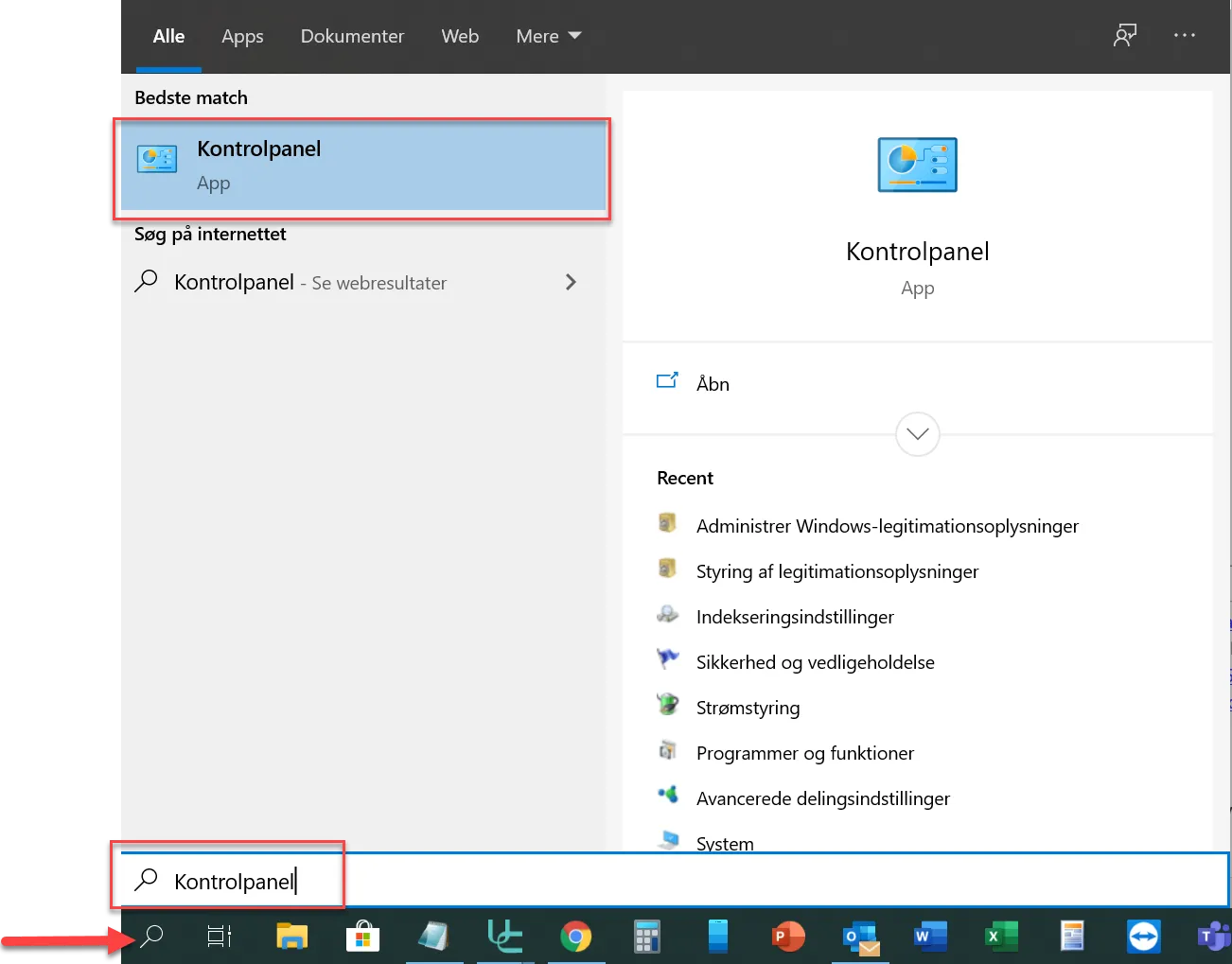
Windows credentials manager can be found by typing “Control Panel”
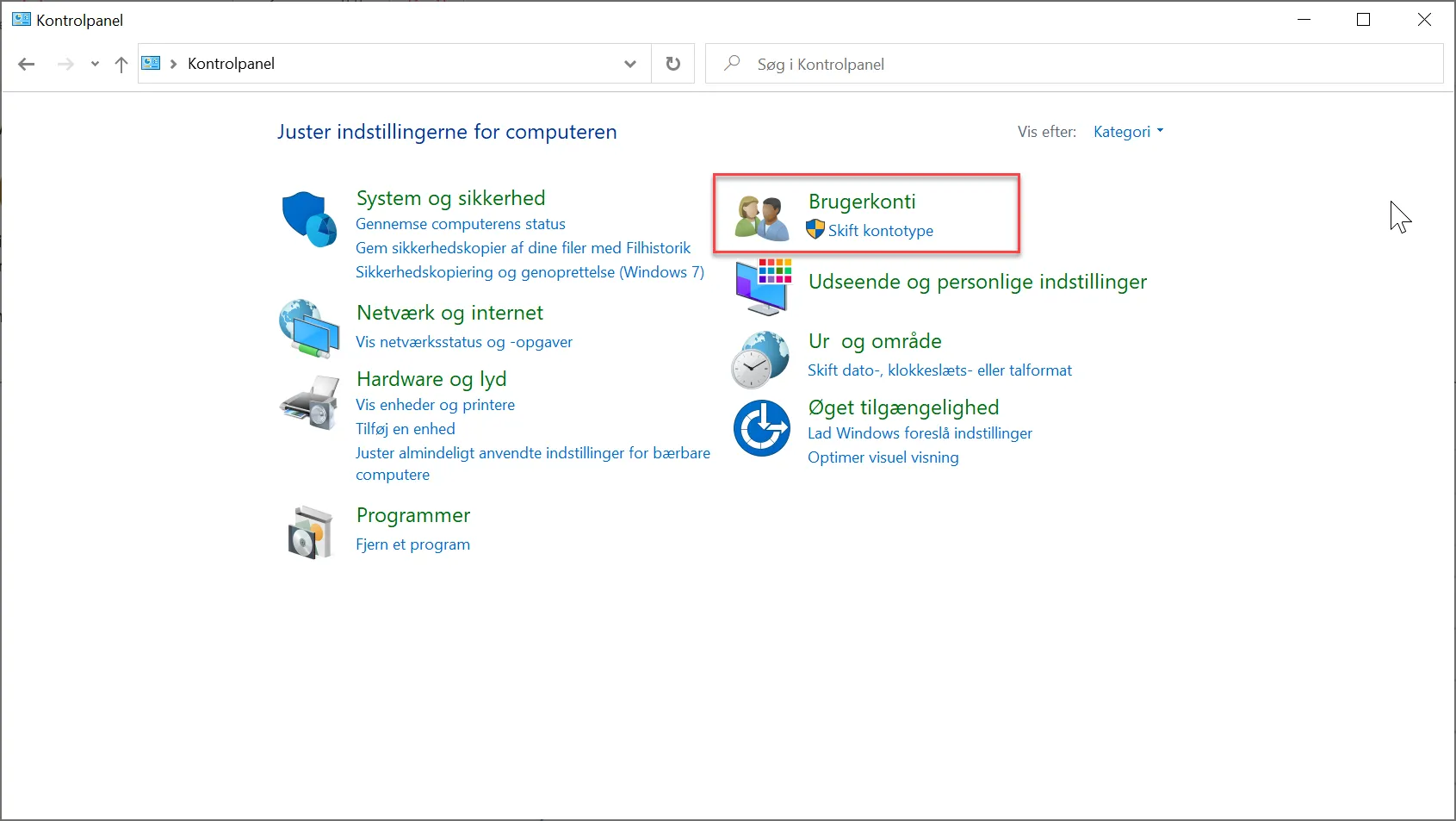
Then select “User accounts”
Then select “Manage Windows credentials”
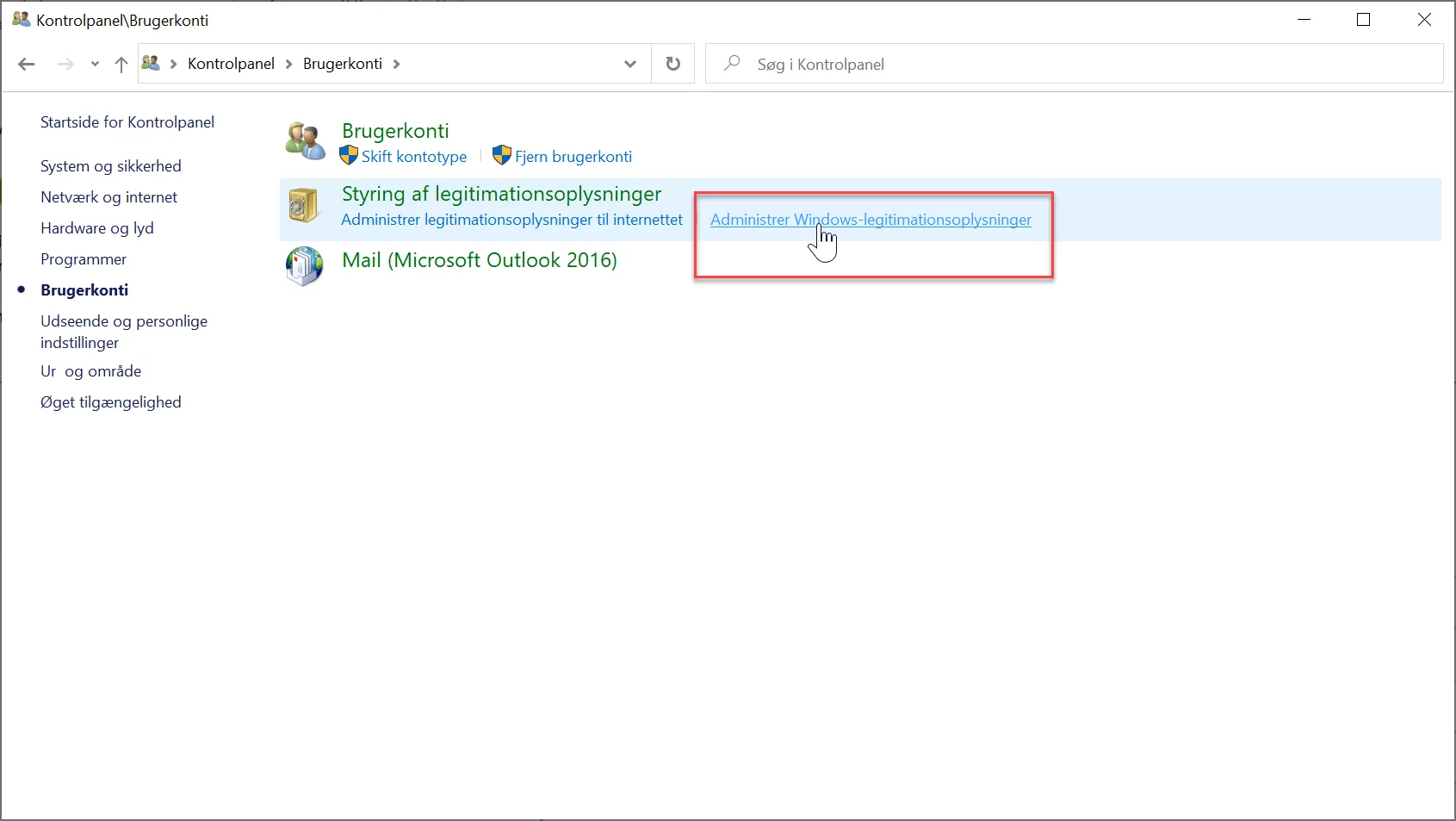
Under “Generic Credentials” select “Uniconta Development”. Here you can change user information for Uniconta.

  • Was this Helpful ?
  • YesNo
Categories: General, Unipedia
Home » Unipedia » Where is Password stored

Get in touch with us

Uniconta

  • Uniconta
  • Modules
  • Downloads
  • Free trial signup
  • Subscription Terms
  • Privacy Policy
  • System Status

PARTNER

  • Resellers
  • For Developers
  • Uniconta API key application
  • Uniconta Partner info

Info

  • News
  • Updates
  • Customer cases
  • Video
  • IT Security
  • Backup procedure – global
  • About us

Support

  • Unipedia
  • API information
  • Contacts
© Uniconta  2026

facebook linkedin youtube

  • Visit a Country Site
    • Dansk
    • Uniconta GermanyDeutsch
    • Eesti
    • Uniconta GermanyÍslenska
    • Lietuva
    • Uniconta NetherlandsNederlands
    • Norsk
    • English